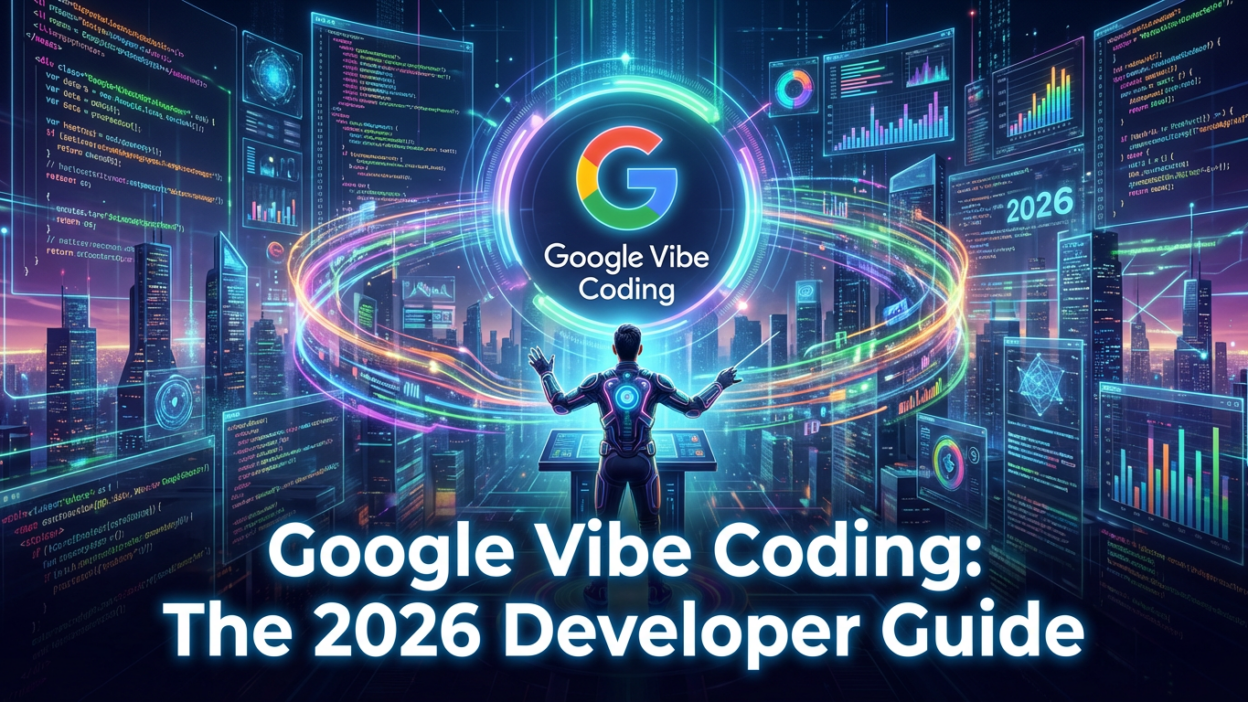
Welcome to the future. The year is 2026, and the days of memorizing semicolon placement and fighting with syntax errors are fading into history. A new beast has entered the arena, and it goes by as per Google the name of Vibe Coding.
If you have been surfing the tech wave recently, you have likely heard the buzz. It started with a tweet by Andrej Karpathy in early 2025, but Google has taken that spark and turned it into a raging fire.
Today, we aren’t just writing code; we are conducting it.
We are orchestrating complex applications through pure intent, natural language, and yes—vibes.
In this ultimate guide, Code with Beast takes you deep into the Google ecosystem where you can do vibe coding to explore how tools like Google AI Studio, Gemini 3, and the revolutionary Google Opal are changing the career landscape forever.
What is Vibe Coding? (And Why You Should Care)
For decades, programming was a translation task. You had an idea (the intent) and you had to translate it into a language the computer understood (Python, JavaScript, C++). If you made a typo, the machine broke.
Vibe Coding flips this script.
In a Vibe Coding workflow, the human provides the high-level “vibe”—the intent, the flow, the user experience, and the business logic—in plain English. The AI (specifically Large Language Models like Gemini 3 Pro) handles the implementation details.
“Forget that the code even exists. Embrace the exponentials. Give in to the vibes.”
— Andrej Karpathy (The Godfather of Vibe Coding)
This isn’t just “no-code.” No-code tools restrict you to pre-built blocks. Vibe Coding writes actual, production-grade code that you can inspect, export, and deploy. You are still a developer, but you have graduated from a bricklayer to an architect.
Google Vibe Coding Tools: AI Studio & Gemini 3
At the heart of Google’s Vibe Coding revolution is Google AI Studio.
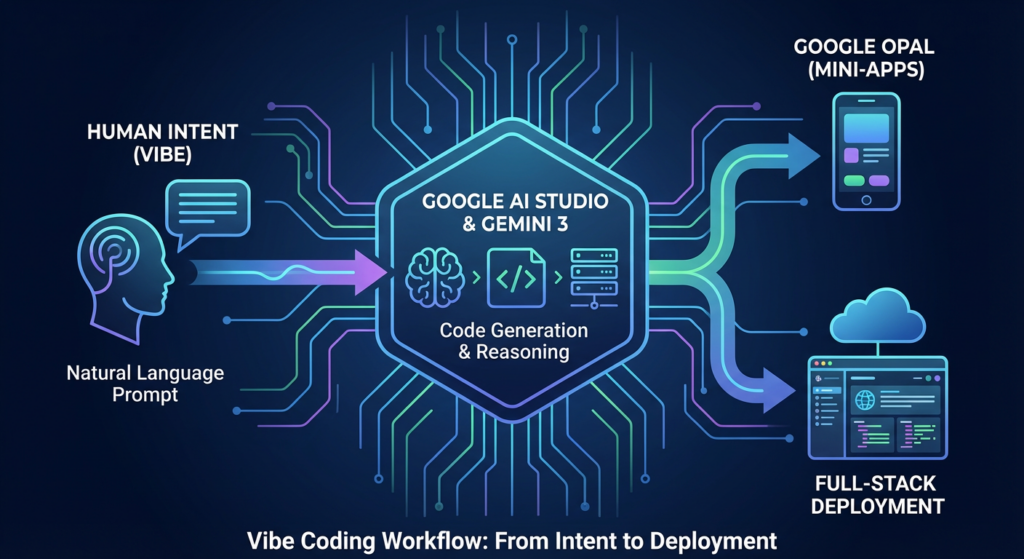
Once a simple playground for testing prompts, it has evolved into a full-blown Integrated Development Environment (IDE) for the AI era.
1. The “Vibe Code” Mode
In late 2025, Google officially launched the “Vibe Coding” toggle inside AI Studio.
When you activate this, the interface changes.
You are no longer looking at a chat box; you are looking at a split-screen creator canvas.
- The Prompt Window: This is where you describe your app. “Create a retro-style mood board app that lets users drag and drop images, with a neon color palette and a ‘Shuffle’ button that uses AI to suggest new layouts.”
- The Live Preview: Instantly—and I mean within seconds—Gemini 3 generates the HTML, CSS, and JavaScript. The app renders live on the right side of your screen.
- The Code View: The raw code is visible but secondary. You can dive in if you want, but the “vibe” workflow encourages you to keep prompting.
2. Gemini 3 Pro: The Brain Behind the Beast
Making this possible is Gemini 3 Pro, Google’s most intelligent model to date. Unlike its predecessors, Gemini 3 has “long-context reasoning.” It remembers the entire structure of your project.
If you say, “Make the header sticky,” it understands the context of your specific HTML structure. It doesn’t just spit out a generic sticky header snippet; it rewrites your specific CSS class to make it happen without breaking the rest of your layout.
3. Annotation Mode: Point and Click Refinement
This is the “killer feature” that separates Google from competitors like Cursor or Replit.
In Annotation Mode, you can click directly on an element in your live preview (say, a button or an image). A small chat bubble pops up attached to that element. You can type: “Change this to a gradient blue,” or “Make this button trigger a confetti animation.”
Gemini understands the visual reference.
It knows exactly which <div> you are talking about. This visual-first coding loop is what truly defines the “Vibe Coding” experience.
Google Opal: The “App Store” for AI Mini-Apps
While AI Studio is for developers who want to get their hands dirty, Google Opal is the democratization of software.
Launched globally in November 2025, Google Opal is a platform for building “Mini-Apps.”
Think of these as single-purpose utilities that you can build in 5 minutes and share with a link.
Why Opal is a Game Changer
- Zero Setup: You don’t need a GitHub account, a terminal, or a server. You just log in with your Google account.
- The “Nano Banana” Integration: This is a fan-favorite feature. Opal integrates with Nano Banana, Google’s ultra-fast image generation model. You can build apps that generate images on the fly without needing complex API keys.
- Business Automation: We are seeing companies use Opal to build internal tools. A marketing manager can vibe-code an app: “Take this CSV of customer reviews, analyze the sentiment, and generate a weekly report.” Opal builds the tool, and the team uses it every Monday.
SEO Tip: If you are looking for a “best career in 2026,” becoming an Opal Architect (someone who builds custom internal tools for companies using Vibe Coding) is a massive untapped niche.
The Tech Stack of 2026: Key Terminology
To rank in this new world, you need to speak the language. Here are the terms defining the Google ecosystem in 2026.
1. Nano Banana
A quirky name for a powerful tool. Nano Banana is the lightweight, on-device (or edge-cloud) image generation model. It’s designed for speed.
In Vibe Coding, it’s used for instant visual feedback.
2. Veo 3
Google’s video generation model. In AI Studio, you can now “Vibe Code” video apps. “Create a video editor that automatically cuts out silence.” Gemini uses Veo’s understanding of video modalities to write the processing logic.
3. Google Antigravity (The Future)
Rumors are swirling about Google Antigravity, an “Agentic IDE” expected to leave beta later this year. While AI Studio assists you, Antigravity is designed to be the developer. You assign it a Jira ticket, and it opens the files, writes the code, tests it, and submits the Pull Request. It is the ultimate manifestation of Vibe Coding.
Step-by-Step: How to “Vibe Code” Your First App
Ready to unleash the beast? Here is a practical workflow you can try right now in Google AI Studio.
Step 1: The “Vibe” Prompt
Don’t think like a coder; think like a Product Manager.
- Bad Prompt: “Write a Python script using Flask…”
- Vibe Prompt: “I want a personal finance dashboard. It needs to look like a cyberpunk video game. On the left, a list of my expenses. On the right, a 3D pie chart that explodes when I click it. Use a dark mode theme with neon green accents.”
Step 2: The “Remix” Phase
Gemini 3 will generate the first version. It might be 80% there. Now, you iterate.
- “The neon green is too bright. Soften it to a pastel mint.”
- “The 3D chart is laggy. Switch it to a 2D donut chart but keep the animation.”
Step 3: The “Capabilities” Injection
Ask Gemini to wire up real services.
- “Add a search bar that uses Google Search Grounding to find the average price of the items in my expense list.”
- “Add a button that uses Imagen 3 to generate a receipt image for fun.”
Step 4: One-Click Deploy
In the top right corner of AI Studio, hit “Deploy to Cloud Run.” Google handles the containerization, the server provisioning, and the SSL certificates. You get a URL.
The “Code with Beast” Career Outlook for 2026
You might be asking: “If AI writes the code, do I still have a job?”
The answer is YES, but your job description has changed. You are no longer a “writer” of code; you are an editor and strategist of code.
The Rise of the “AI Orchestrator”
Companies in 2026 aren’t looking for people who can reverse a binary tree on a whiteboard. They are looking for people who can:
- Prompt Effectively: Can you explain a complex system in clear English?
- Debug Logic, Not Syntax: When the AI hallucinates a feature that doesn’t make sense, can you spot the logical flaw?
- Stitch Systems Together: Can you make Gemini talk to a SQL database and a Stripe payment gateway securely?
Vibe Coding allows one developer to do the work of ten. The “10x Developer” is no longer a myth; it is the baseline.
Conclusion: Tame the Beast or Be Eaten
The wave of AI Automation is not coming; it is here. Google Vibe Coding is the surfboard.
You have a choice. You can cling to the old ways, manually typing out boilerplate code while your competitors build entire ecosystems in an afternoon. Or, you can embrace the vibe.
Code with Beast is about dominating this new landscape. It’s about using tools like Google Opal and Gemini 3 to amplify your creativity, not replace it.
So, open AI Studio.